
Start with local accounts
Local credentials provide the default sign-in path. Keep a tested local administrator and recovery path when introducing an external identity provider.
Security and data control
WebSSH is a gateway between your browser and your remote servers. It provides account isolation and explicit controls, while the host, configuration and target permissions remain part of your security boundary.
Accounts, settings, saved connections and application data reside on your instance. WebSSH has no built-in telemetry or hosted control plane, and its browser libraries are served locally. Optional external identity services involve their configured providers.
The privacy notice for this project website is separate from the data processing on a WebSSH instance. Each instance operator is responsible for their own users, infrastructure and policies.
Accounts and authentication
Local multi-user accounts have their own sessions, connections, keys, settings and host trust. Server-side ownership checks apply to user resources. Administrator privileges and protected account changes have additional checks.
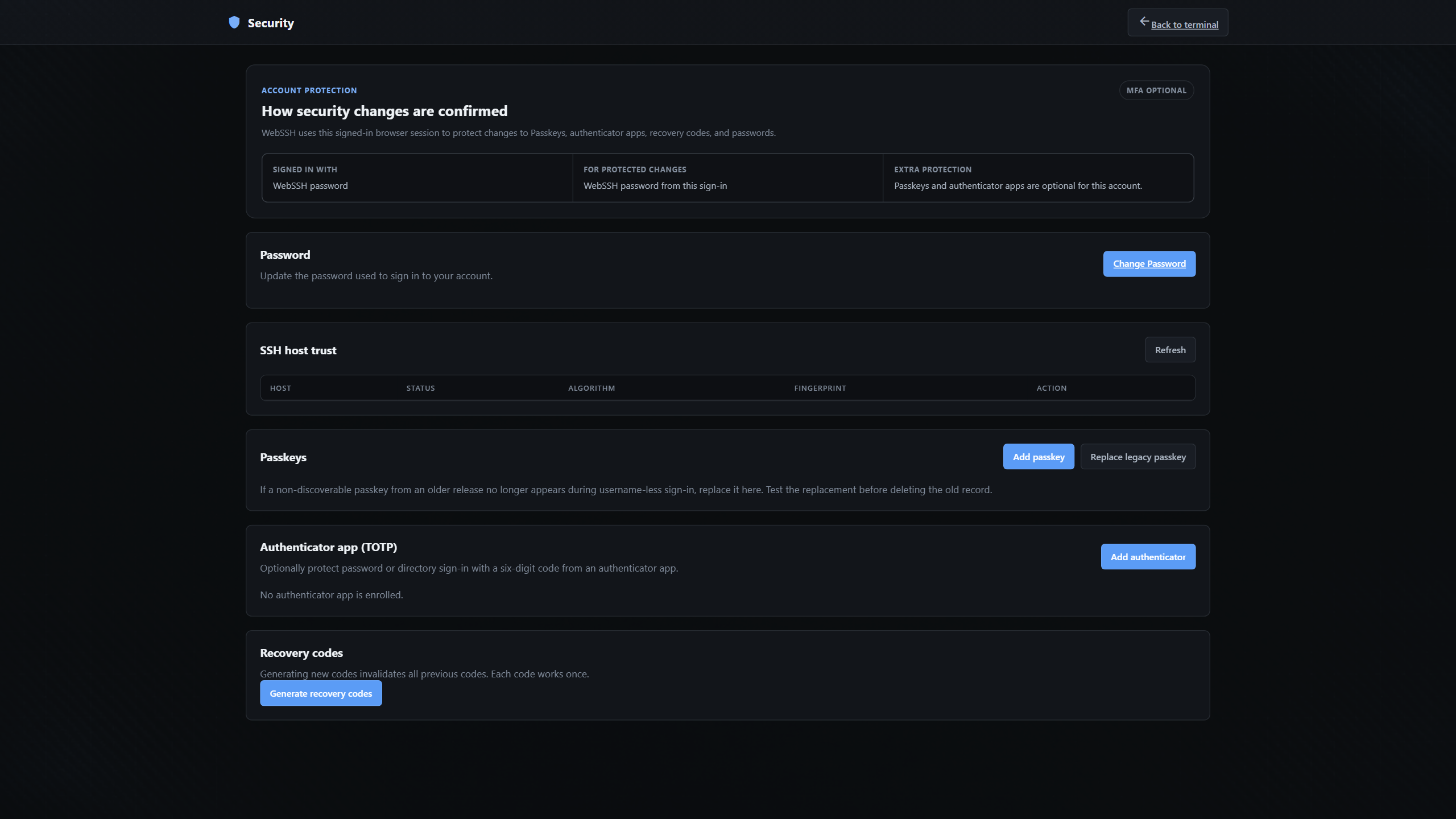
Local credentials provide the default sign-in path. Keep a tested local administrator and recovery path when introducing an external identity provider.
Passkeys, authenticator apps (TOTP), OIDC, GitHub App and LDAP / Active Directory are optional. Configure and activate the methods you need. Recovery codes are one-time second-factor recovery, not a substitute for the primary credential.
Authentication defaults and activation requirements · Passkeys and recovery codes
Remote credentials and server identity
Stored SSH private keys are encrypted using per-user key material derived from the application secret. SSH target passwords are used to establish connections and are not stored in saved connections. Protect the running application, its secret and its backups as sensitive systems.
New host keys require a trust decision. A trusted key is pinned for that user; changed keys are rejected until the mismatch is investigated and the old trust record is explicitly revoked. Verify fingerprints through an independent channel.
Controls and operator responsibilities
Rate limits, request limits, connection and transfer quotas, security audit logs and bounded background work constrain operations. Administrators can manage audit export and retention.
The production profile requires HTTPS origins, secure cookies, disabled public registration, internal-target blocking and an explicit proxy trust boundary. Unsafe combinations stop startup.
Use scoped remote accounts and SSH server restrictions. WebSSH does not grant remote privileges beyond the credentials you supply, and browser access to the instance should be restricted to intended users.
Restrict access to the data volume, application secret and backups. A backup may contain enough material to decrypt stored keys. Protect backup copies separately and test recovery before you need it.
Hardening and verification guidance · Production deployment overview
Use the private reporting channels in the repository's security policy for suspected vulnerabilities. Please avoid putting credentials, private keys or exploit details in public issues.
For general project questions, contact hi@getwebssh.com. WebSSH is a private open-source project maintained by Marcel Graewer, distributed under the MIT license.